Customize Your Event Page Theme in TixFox
Last updated at: Jan 29, 2025To change how your event page looks, open your event, go to the Theme tab and click Change Theme. Pick a ready-to-use theme, or build your own under Custom. The preview updates as you click, and your live page only changes when you click Save.
Pick a ready-to-use theme
- Open your event and click the Theme tab.
- Click Change Theme. The Event Theme panel opens on the right, with your event page preview behind it.
- Under Ready-to-use, choose a style: Linear, Flat or Mesh.
- Click a theme. The preview changes straight away, so try a few.
- Click Save.
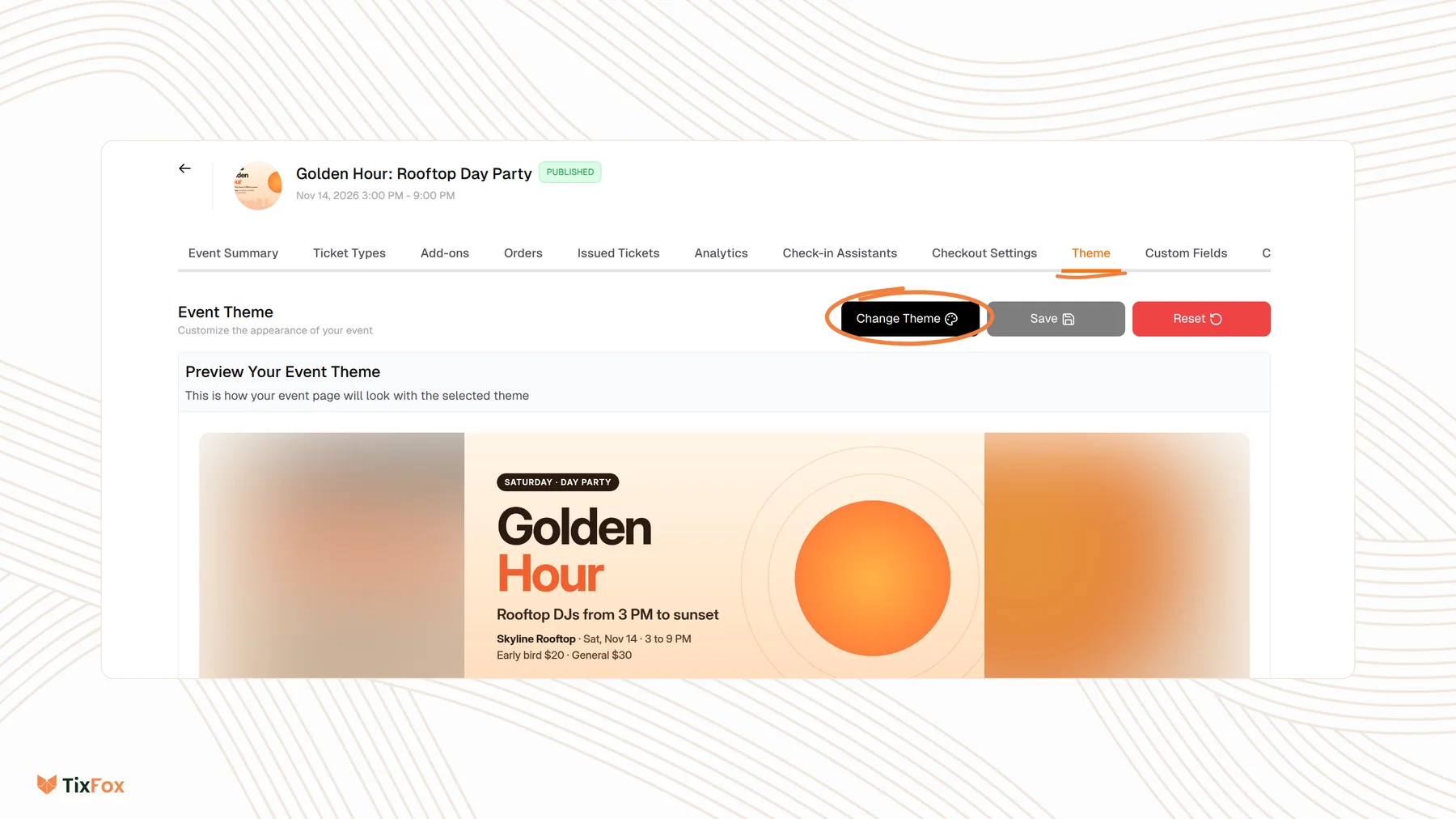
Linear themes are color gradients: Sunset Gradient, Ocean View, Rose Gold, Mint Fresh, Golden Hour, Twilight Zone, Arctic Dawn, Urban Night, Spring Bloom, Forest Linear and Crimson Sky. Flat includes Minimal Light, Minimal Dark, Royal Purple, Navy Classic, Forest Green, Cherry Red, Teal Elegance, Warm Orange, Pink Passion, Deep Blue and Emerald Green.
Build a custom theme
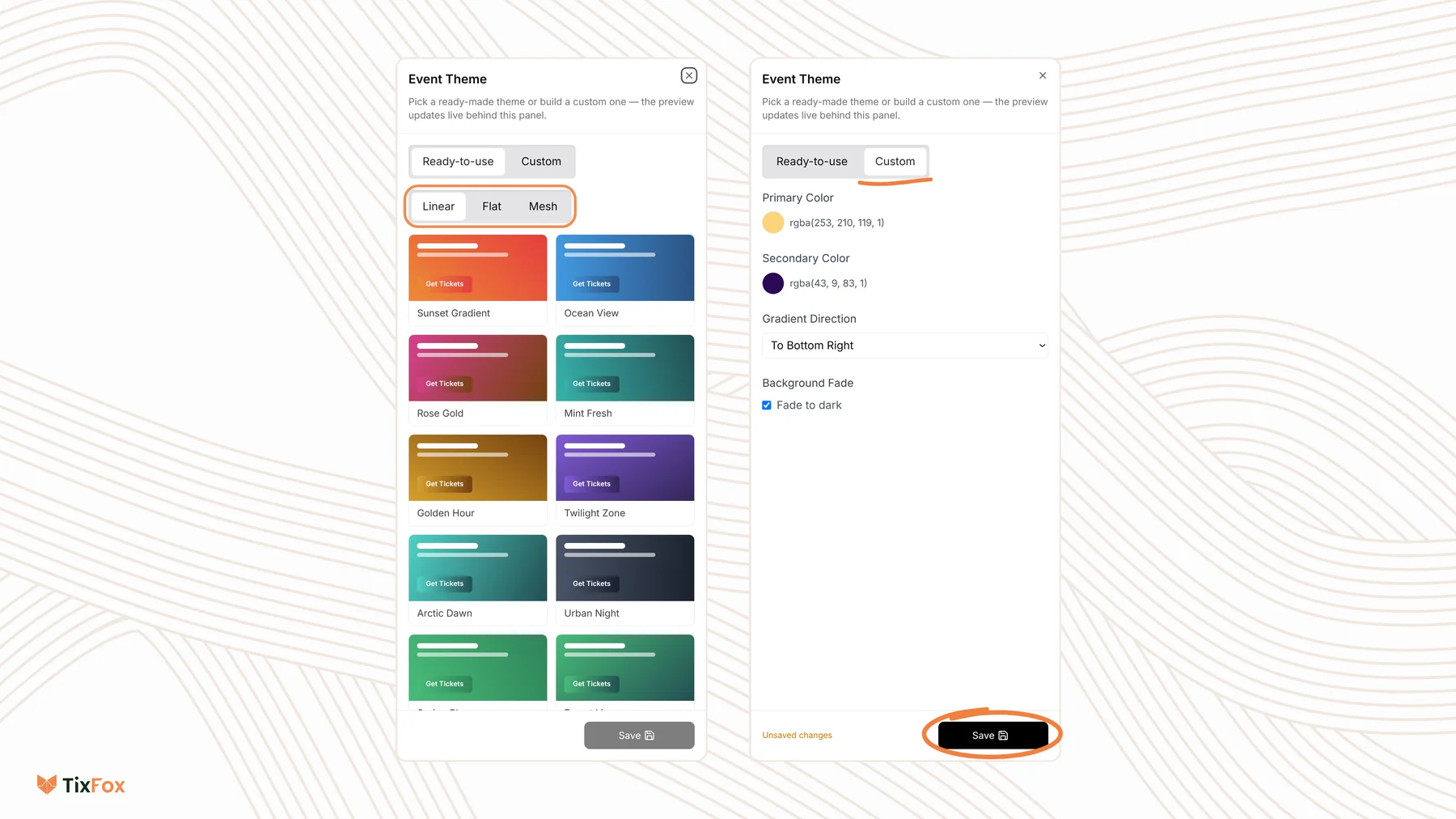
- In the Event Theme panel, click Custom.
- Set your Primary Color and Secondary Color.
- Under Gradient Direction, choose which way the two colors blend, for example To Right, To Bottom or To Bottom Right.
- To darken the background, tick Fade to dark under Background Fade.
- Click Save.
Good to know
- Nothing goes live until you save. While you try themes, the panel shows Unsaved changes and your event page stays as it was.
- Change it any time. You can update the theme after your event is published.
- Your event image stays. The theme changes the colors and background around it. To change the picture, edit the Event Image in your event details. See How to create your first event.
- Keep text easy to read. If you build a custom theme, pick colors that contrast well, then check the preview before you save.
- Reuse a look. When you duplicate an event, you can copy its theme too. See How to duplicate an event.
Watch it on video
This video shows an earlier version of the Theme tab. The steps are similar, but the theme options now open in a panel when you click Change Theme.
https://www.youtube.com/watch?v=UUGo0IdD5EI