I Lost My Ticket, What Can I Do?
Last updated at: Aug 28, 2025You can get your tickets back in about a minute, without an account. Open the event page, click Resend Confirmation Email under Support, and enter the email you used to buy your tickets. Your confirmation email comes again, with your tickets.
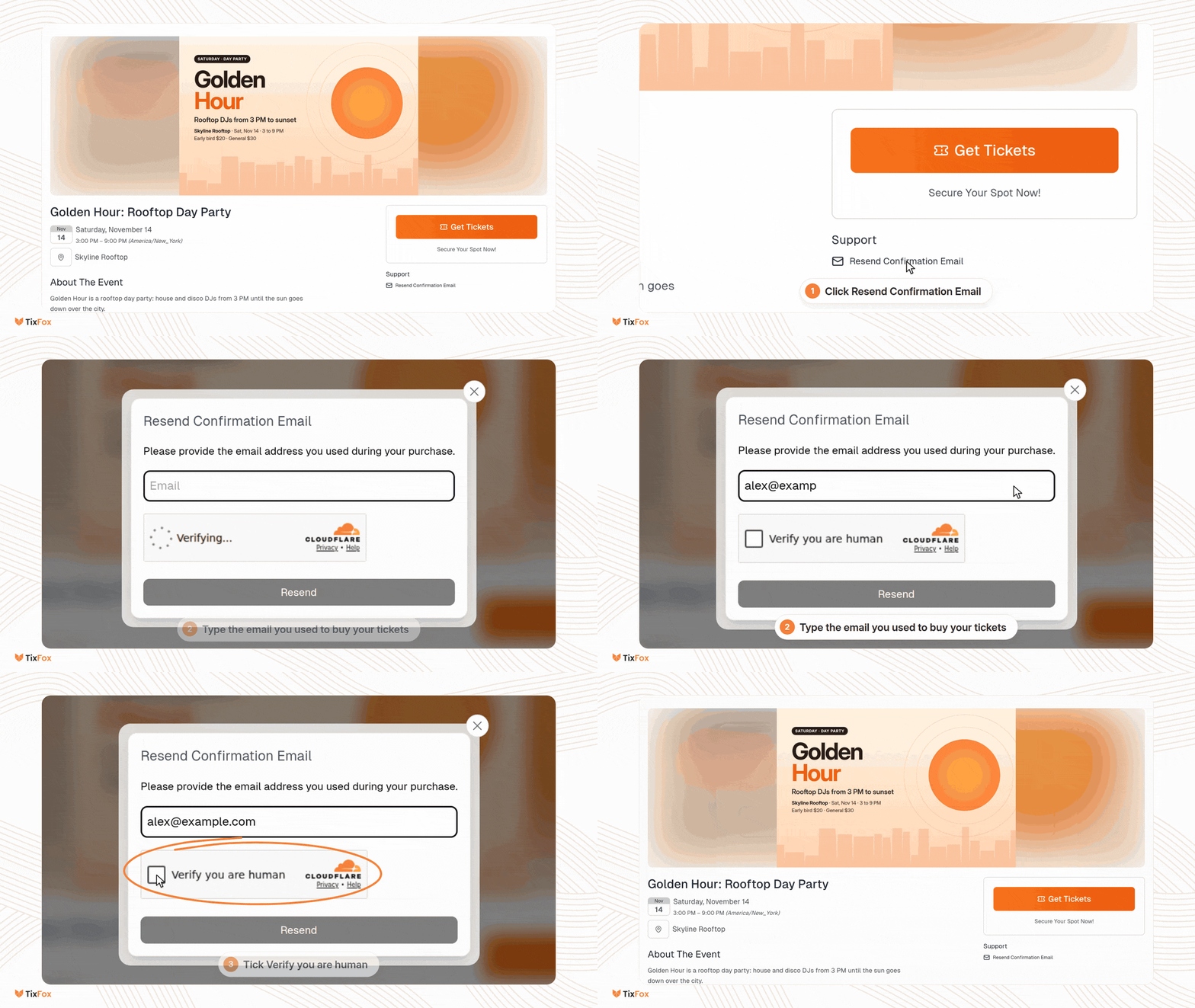
First, check your inbox
- Search for the event's name, or for Ticket Purchase Confirmation.
- Look in your spam, junk and promotions folders.
- Look for a reminder email. Every buyer gets one 7 days before the event and another 24 hours before, each with a link to their tickets.
Resend your tickets from the event page
- Open the event page. Use the link the organizer shared, or go back to the page where you bought your tickets.
- Under Support, click Resend Confirmation Email. On a phone, scroll down past the event details to find it.
- Enter the email address you used when you bought your tickets.
- If a Verify you are human box appears, tick it.
- Click Resend.
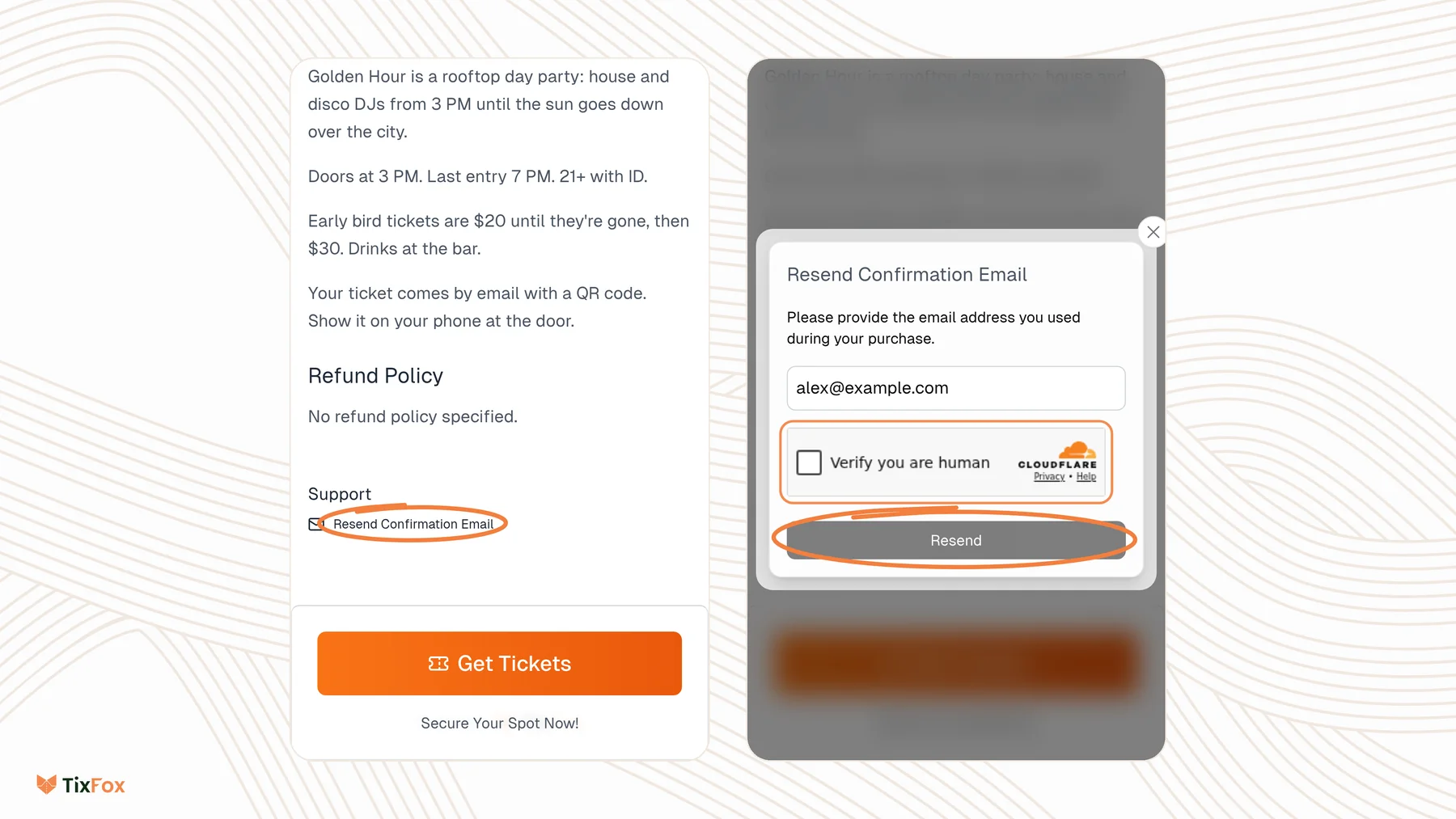
This resends your tickets for that one event. If you bought tickets to more than one event, do it on each event's page.
Save your tickets so you don't lose them again
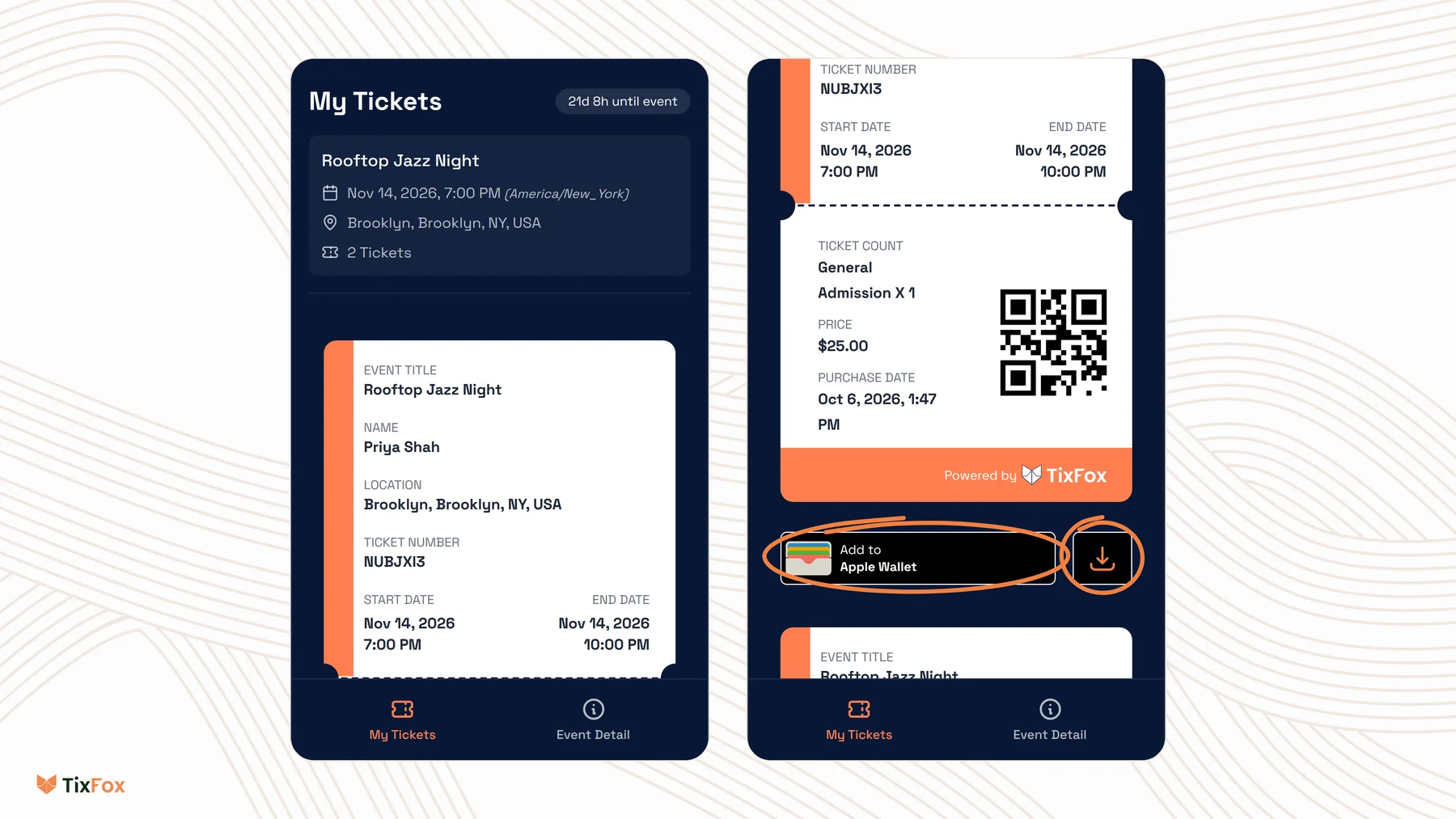
Each ticket has its own QR code, which is scanned at the door. When you open your tickets:
- Add them to your phone's wallet: Apple Wallet on an iPhone, Google Wallet on Android.
- Or tap the download button next to the wallet button to save a copy of your ticket.
If you bought more than one ticket, each one has its own QR code and its own buttons.
If you used a different email, or can't get into it
Tickets are only resent to the email on your order. If you made a typo at checkout, or you can't open that inbox anymore, contact the event organizer. They can find your order, correct your email and send your tickets again, or send you a direct link to them.
To help them find your order quickly, send:
- Your name and the email you think you used
- The event name and date
- When you bought your tickets, and a receipt or a screenshot of the charge if you have one
Common questions
Do I need a TixFox account to get my tickets back?
No. You buy tickets without an account, and you get them back with the email you used. See Can I create an account on TixFox as an attendee?
I clicked Resend, but nothing arrived. What now?
Give it a few minutes and check your spam, junk and promotions folders. Make sure you typed the same email you used at checkout. If it still hasn't arrived, contact the event organizer.
I bought tickets for more than one event.
Resend works one event at a time. Open each event's page and resend from there.
I'm the organizer. How do I resend a buyer's tickets?
Open the order in Orders and choose Resend Confirmation. See How to resend tickets or change attendee details.